AI-powered indoor navigation for visually impaired users — a phone camera and a vision-language model, no beacons or building infrastructure required.
Built at Dallas AI · Team 13 · June 2026 Live demo · Team & credits

- The Problem
- What VisionGuide Does
- Core Features
- Architecture
- Tech Stack
- Repository Structure
- Key Design Decisions
- Running Locally
- Safety & Limitations
- Roadmap
- Team
- References
GPS solved outdoor navigation. It doesn't work indoors — and for roughly 340 million people living with vision impairment, that gap shows up daily: in hospitals, transit hubs, shopping malls, and office buildings they're visiting for the first time. Existing fixes (Bluetooth beacons, pre-mapped floor plans) need building-specific infrastructure — expensive to deploy, and covering a tiny fraction of the real-world spaces people actually navigate.
There's no independent way for a visually impaired person in an unfamiliar building to locate a door, avoid an obstacle, or read a sign — without asking someone else.
The same camera-only approach points toward a related need we're exploring: helping patients navigate safely at home during post-discharge recovery, when temporary mobility, cognitive, or visual changes can make a familiar space feel unfamiliar again.
VisionGuide turns a standard smartphone into a navigation assistant using only its camera. No beacons, no pre-installed maps, no building cooperation required.
A user states a destination out loud. The app scans the room, sends what it sees to a vision-language model, and speaks short, grounded directions — "Turn left, doorway ahead" — while a parallel on-device hazard layer watches for anything dangerous close enough to matter, independent of the network. On arrival, it says so and stops.

Voice-First Destination Entry
- Auto-listens for a destination the moment the app opens — no tap required to start.
- A manual microphone button and text field are always available as fallback.
- Free-form phrasing is understood, not just fixed commands: "the elevator," "I need to wash my hands," and "there's a meeting in room 204, get me there" all resolve to a usable destination. A brief spoken confirmation catches noisy input before it derails a session.
Guided Scan & Explore
- Every session opens with a gyroscope-gated 4-direction scan (ahead, right, behind, left) to find the destination or the most open path before the user starts walking.
- If the destination isn't found in the scan, explore phase keeps the user moving toward hallways and signage instead of stalling in place.
Grounded Navigation Guidance
- Directions are short (8–10 words), specific, and tied to what the camera can actually see — never a guess about what's behind the user or through a closed door.
- The destination is remembered briefly if it drifts out of frame, so guidance can route back toward it instead of treating it as lost.
Layered Obstacle & Hazard Awareness
- The VLM reports obstacles with urgency tiers — high interrupts speech immediately, medium queues after the current direction, low is logged silently.
- A parallel on-device hazard layer watches the camera feed independently of the network, so a close, dangerous obstacle can trigger an alert in milliseconds rather than waiting on a round trip.
Accessibility by Default
- Fully operable via screen reader (TalkBack / VoiceOver) — no interaction requires looking at the screen.
- WCAG AA contrast, large tap targets, and a spoken safety disclaimer (use alongside a cane or other mobility aid) at the start of each day's first session.
- An analyzed-frame preview and hazard overlay let a sighted companion or demo audience see exactly what the app is reacting to — a diagnostic aid, not part of the primary experience.
VisionGuide is two independent perception loops sharing one camera stream and one voice — a client-only React app that calls the Anthropic API directly. There is no backend, no database, and no proxy server; the browser holds the API key and calls api.anthropic.com straight from the client.
flowchart TD
    subgraph Browser["Browser — React 19 + Vite"]
        Goal["Goal\nvoice or text, resolved via VLM"]
        Camera["Camera\ngetUserMedia, ~640x480 JPEG"]
        Loop["Loop Orchestrator\nphase-aware: Scan -> Explore -> Navigate"]
        Speech["Spoken Output\nWeb Speech API (TTS)"]
        CVLocal["On-Device CV\nMediaPipe, no network"]
    end

    subgraph Anthropic["Anthropic API"]
        VLM["Vision-Language Model\nSonnet 4.6 (scan/explore) / Haiku 4.5 (navigate)"]
    end

    Goal --> Loop
    Camera -- "1 fps (2 fps in scan)" --> Loop
    Camera -- "~15 fps, shared stream" --> CVLocal
    Loop -- "frame + phase prompt" --> VLM
    VLM -- "direction, obstacles, confidence" --> Loop
    CVLocal -- "hazard alert (bypasses VLM)" --> Speech
    CVLocal -- "compact context string" --> Loop
    Loop --> Speech
Why two loops instead of one: the VLM path is accurate but slow (network round trip, 1–3s depending on phase). The on-device path is fast but shallow (object detection, not scene understanding). Splitting them means a person stepping directly into the user's path gets an alert in milliseconds, while destination-finding and turn-by-turn guidance still get the VLM's actual scene understanding.
Every session starts with a guided 4-direction scan and moves through explore and navigate as the destination is found:
stateDiagram-v2
    [*] --> Scan: Start tapped
    Scan --> Navigate: destination found (confidence >= 0.5)
    Scan --> Explore: no stop found it, or 20s timeout
    Explore --> Navigate: destination found (confidence >= 0.5)
    Explore --> AskForHelp: 90s elapsed, still nothing
    Navigate --> Navigate: lost or blocked -> reroutes itself
    Navigate --> Arrived: goal confirmed on 2 consecutive frames (confidence >= 0.8)
    Arrived --> [*]
    AskForHelp --> [*]
- Scan (2 fps): four ~90° turns (ahead, right, behind, left), gyroscope-gated so a frame is only captured once each turn actually completes. Exits early the moment any stop finds the destination.
- Explore (1 fps): the user is walking now — guidance shifts to open hallways and signage if the destination still isn't visible, with a 90-second ceiling before the app asks the user to find someone nearby.
- Navigate (1 fps): short, grounded turn-by-turn directions to a destination that's already been located. If the path reads blocked for 4 consecutive frames, the app reroutes on its own rather than repeating a direction that isn't working.
- Arrival requires the destination to be confirmed on two consecutive frames, not one — a single high-confidence frame isn't enough to announce arrival and stop the loop.
Running the entire time, independent of the phase above: a MediaPipe object detector at ~15 fps feeds an IoU tracker, which a hazard evaluator checks roughly 3 times a second. A close, confirmed high-risk object interrupts speech immediately — no confirmation delay, since waiting even one more frame would consume the entire safety margin at this latency. It defers to whatever the app is already saying mid-sentence rather than talking over it, and won't repeat the same alert inside a few seconds, so a stationary hazard doesn't turn into alert spam.
| Layer | Choice | Why |
|---|---|---|
| Frontend | React 19 + Vite | Fast dev loop, no framework overhead needed for a single-session, single-screen-flow app. Plain JavaScript/JSX — no TypeScript. |
| Vision-language model | Anthropic Claude API — Sonnet 4.6 (scan/explore), Haiku 4.5 (navigate) | Model choice is swapped per phase: Sonnet for signage-reading accuracy where it matters most, Haiku for the highest-frequency, lower-stakes navigate-phase polling. |
| On-device CV | @mediapipe/tasks-vision (EfficientDet-Lite0) |
Runs the hazard layer with zero network dependency. The WASM runtime and .tflite model are self-hosted in public/, not loaded from a CDN, so hazard detection never depends on a third-party host being reachable. |
| Styling | Inline styles objects reading tokens from src/theme.js |
No CSS framework or component library — a deliberate constraint (code-standards.md) to keep the app lightweight and every screen consistent through one shared palette/type-scale module. |
| Fonts | Public Sans (display) + Atkinson Hyperlegible (body), via Google Fonts | Atkinson Hyperlegible is designed for low-vision legibility. |
| Browser APIs | getUserMedia, SpeechRecognition, SpeechSynthesis, DeviceMotionEvent, WakeLock |
Camera, voice in/out, gyroscope-gated scan-turn detection, and keeping the screen awake during navigation — all native, no polyfill libraries. |
| Linting | ESLint 10, eslint-plugin-react-hooks, eslint-plugin-react-refresh |
public/mediapipe and public/models are excluded — vendored/generated assets, not linted. |
| Deployment | Vercel, static build only (vite build → dist/) |
No serverless functions, no backend. The browser calls api.anthropic.com directly with the API key from VITE_ANTHROPIC_API_KEY, using the anthropic-dangerous-direct-browser-access header. |
No backend, database, or auth layer exists or is planned for this scope — the browser is the whole app.
visionguide/
├── src/
│   ├── App.jsx                    ← top-level state: Onboarding → Set-destination → Navigating → Arrived
│   ├── main.jsx                   ← React entry point
│   ├── constants.js                ← every tunable threshold/interval, named and commented
│   ├── theme.js                    ← shared color/font design tokens (no CSS framework)
│   │
│   ├── components/
│   │   ├── Onboarding.jsx          ← entry screen; sole trigger for auto-listen (Web Speech needs a user tap first)
│   │   ├── GoalInput.jsx           ← destination text field + manual mic button
│   │   ├── StartStopButton.jsx     ← Start / Stop control
│   │   ├── StatusDisplay.jsx       ← aria-live status/error announcement strip
│   │   ├── NavigatingView.jsx      ← full-screen analyzed-frame background + spoken instruction banner
│   │   ├── DetectionOverlay.jsx    ← SVG bounding-box overlay for CV detections (demo/diagnostic only)
│   │   ├── ArrivedView.jsx         ← arrival confirmation screen
│   │   └── CameraPreview.jsx       ← hidden <video> element keeping the camera stream alive
│   │
│   ├── modules/
│   │   ├── loop.js                 ← the phase-aware navigation loop: owns Scan -> Explore -> Navigate
│   │   ├── guidedScan.js           ← 4-direction scan sequence, per-leg turn staging, decide()
│   │   ├── gyroscope.js            ← DeviceMotionEvent wrapper: turn-rate/angle tracking for scan gating
│   │   ├── camera.js               ← getUserMedia init, frame capture to base64 JPEG, WakeLock
│   │   ├── destination.js          ← resolves raw voice/text input to a clean destination via the VLM
│   │   ├── recognition.js          ← SpeechRecognition wrapper (voice input)
│   │   ├── speech.js               ← SpeechSynthesis queue: interrupt/queue/dedup logic
│   │   ├── obstacles.js            ← routes VLM-reported obstacles by urgency tier
│   │   ├── goalTracker.js          ← tracks consecutive goal-found frames, fires arrival
│   │   ├── goalMemory.js           ← remembers the destination's last-seen direction when out of frame
│   │   ├── spatialMemory.js        ← remembers recently-blocked headings to avoid repeat dead ends
│   │   ├── landmarks.js            ← landmark context hints threaded into VLM prompts
│   │   │
│   │   ├── cvDetector.js           ← on-device MediaPipe object detector loop (~15 fps)
│   │   ├── cvTracker.js            ← IoU centroid tracker across detector frames
│   │   ├── cvWorldModel.js         ← atomic snapshot store shared by the medium/slow loops
│   │   ├── hazardEvaluator.js      ← ~3 fps hazard evaluation + alert routing, defers to active speech
│   │   └── cvContextBuilder.js     ← formats qualifying CV detections into a compact context string
│   │
│   ├── api/
│   │   └── claude.js               ← sole browser-to-Anthropic fetch wrapper; builds request, parses response
│   ├── prompts/
│   │   └── system.js               ← all VLM prompt builders (navigate/explore/guided-scan/destination)
│   └── utils/
│       └── estimateRisk.js         ← pure function: detected object -> risk tier
│
├── public/
│   ├── mediapipe/                  ← self-hosted WASM runtime for the on-device detector (no CDN)
│   └── models/efficientdet_lite0.tflite  ← the on-device detection model
│
├── context/
│   ├── project-overview.md         ← quick orientation: what it is, user flow, features, scope
│   ├── specifications/
│   │   ├── visionguide-prd.html    ← authoritative PRD: goals, requirements, architecture, API contract
│   │   └── 01–13-*.md              ← per-feature specs (setup, weekly builds, scan phase, CV layer, ...)
│   ├── code-standards.md           ← implementation conventions
│   ├── ai-workflow-rules.md        ← spec-driven development workflow
│   ├── progress-tracker.md         ← live record of what's actually built, decisions, open questions
│   └── planning/                   ← demo-day runbook, demo route, pitch-deck outline, prompt-tuning log
│
├── AGENTS.md                       ← required reading order for AI coding agents working in this repo
├── CLAUDE.md                       ← general coding-agent behavioral guidelines
└── codereview/                     ← code-review process docs
Spec-driven, not vibe-coded
Every feature has a written spec (context/specifications/) — requirements, component design, acceptance criteria — agreed before implementation starts. AGENTS.md and CLAUDE.md enforce this for AI coding agents working in the repo: read the PRD and current specs first, never invent undocumented behavior, update progress-tracker.md after every meaningful change. It's why context/ is as substantial as src/ — the docs are the source of truth the code is built against, not an afterthought written after the fact.
No backend, database, or proxy server
The browser calls the Anthropic API directly. On a system already budgeting every second — ≤3s frame-to-speech at the target latency — adding a server hop in between would cost a full extra round trip for a feature (persistence, auth) this MVP doesn't need. The honest tradeoff: the API key ships in client-side JS, visible to anyone who opens dev tools. The mitigation is a hard $5/month spend cap enforced server-side in the Anthropic console, plus a separate scoped, revocable key for any public demo link — not application code, since app code can't protect a key that's already in the client bundle. Not a decision to repeat for a product handling real user accounts, but a reasonable one for a single-session MVP with nothing to steal. If it ever needs to move beyond that, src/api/claude.js is already the sole call site for every Anthropic request — swapping in a thin proxy later is an isolated change, not a rearchitecture.
17 single-purpose modules, not one big loop file
code-standards.md calls for small, single-purpose modules, and src/modules/ holds to it — 17 files, 2,029 lines, ~120 lines average. That average is pulled up by loop.js (547 lines) alone; every other module stays under 200 lines, most well under 100. loop.js is the deliberate exception: it's the one place that owns the phase state machine and ties every other module together, so some size there is the cost of having a single orchestrator instead of scattering that logic across files.
High-urgency obstacle alerts skip the confirmation frame everything else gets Destination arrival waits for two consecutive matching frames before acting, to avoid false positives. High-urgency obstacles are the deliberate exception — at a ~1 fps pipeline with multi-second latency, waiting even one more frame to confirm a hazard would consume the entire safety margin the alert exists to protect. The tradeoff is a higher false-positive rate on hazard alerts specifically, accepted on purpose: a false alarm costs a wasted "watch out"; a missed one doesn't.
Onboarding shows on every visit, not just the first
This looks like a missing "skip for returning users" feature until you know why: mobile Chrome silently blocks speechSynthesis.speak() and speech recognition unless triggered by a real, in-page user tap — and that permission doesn't carry over from a previous visit. An earlier version tried to auto-listen the instant the page loaded and went completely silent on-device, with no error thrown. Onboarding's tap is what unlocks audio for that session, so it can't be skipped without breaking voice entirely.
- Node 18+ and npm
- An Anthropic API key with access to
claude-sonnet-4-6andclaude-haiku-4-5-20251001 - A browser with camera + microphone access — Chrome (desktop or Android) or Safari/Chrome on iOS for real device testing
git clone https://github.com/FayyazMakhani/visionguide.git
cd visionguide
npm install

cp .env.example .env
# then edit .env and set VITE_ANTHROPIC_API_KEY to your key| Command | What it does |
|---|---|
npm run dev |
Starts the Vite dev server at http://localhost:5173 |
npm run build |
Production build to dist/ |
npm run preview |
Serves the production build locally, for a final check before deploying |
npm run lint |
Runs ESLint |
Open the dev server URL in Chrome and allow the camera and microphone prompts. localhost is treated as a secure context, so camera access works over plain HTTP during local development — no HTTPS setup needed on your machine.
VisionGuide is built to be used on a phone, and a desktop browser can't meaningfully exercise the voice-first, hands-free flow. localhost being a secure context doesn't extend to other devices on your network, so http://<your-LAN-IP>:5173 on a phone will not get camera/mic permission. Two options:
- Deploy a preview —
vercelfrom the project root gives you a real HTTPS URL to open directly on the phone. - USB debugging — connect an Android phone via USB, enable USB debugging, and use
chrome://inspecton desktop Chrome to both load the dev server on the phone and inspect its console/accessibility tree remotely.
VisionGuide is a supplemental navigation aid, not a replacement for a cane, guide dog, or other primary mobility aid. It makes probabilistic judgments from a camera feed and will sometimes be wrong — including reporting a path as clear when it isn't. A spoken safety reminder plays at the start of each day's first session and cannot be skipped.
The system runs at roughly 1 frame per second with a few seconds of processing latency end to end. At a normal walking pace, that's several meters of travel between a frame being captured and its guidance being spoken. VisionGuide is built for deliberate, cautious movement — not normal walking speed — and users should keep using their primary mobility aid at all times during navigation.
- Table detection is unreliable. Chairs and other close furniture detect and alert consistently; tables score too low on the on-device model to guarantee detection without introducing false positives elsewhere. A larger detection model is the noted follow-up.
- Guided-scan turn angles are approximate, not exact — they're derived from integrated gyroscope rotation rate, which drifts over time. A tolerance window absorbs some of this, but it's an estimate, not a measurement.
- Single session, single destination. There's no persistence across sessions, no multi-floor awareness, and no user accounts — starting over always begins at the guided scan.
- iOS Safari 16+ / Chrome on iOS 16+ (WebKit)
- Chrome 120+ on Android 10+
- Requires a device with a rear camera and microphone, served over HTTPS (or
localhostfor local dev) — the camera and speech APIs require a secure context, and the app has no meaningful fallback without them.
- Custom-trained CV model — fine-tune the on-device detector on real indoor-specific data (hazards, landmarks, structural features) instead of the general-purpose EfficientDet-Lite0 model currently in use. A larger model is also the known path to reliable table detection, which the current model can't guarantee — see Known Limitations above.
- Native mobile app — a native iOS/Android app for lower latency than the current web app, with eyes-free voice activation (e.g. Siri Shortcuts on iOS).
- Multi-language support — voice input, VLM prompts, and spoken output are all English-only today; localizing each for broader reach.
- Multi-floor navigation — 3D localization and routing across elevators, stairs, and escalators. Explicitly out of scope for the current single-floor MVP.
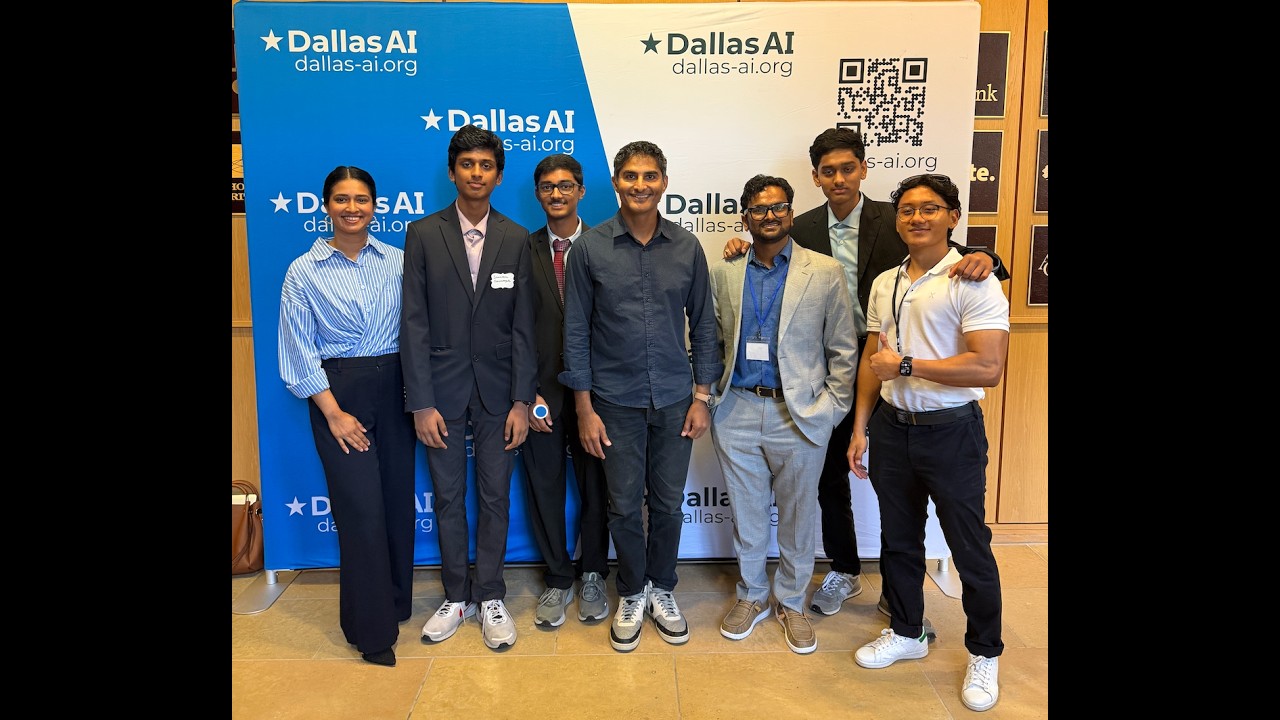
Built at Dallas AI — the largest nonprofit AI professional community in Dallas-Fort Worth — as Team 13's project, June 2026.
| Name | Role |
|---|---|
| Monica Mahajan | Product Manager |
| Pranil Lama | Technical Lead |
| Fayyaz Makhani | Technical Lead |
| Tasnim Dulla | Market Research & Design Lead |
| Arjun Palaniappan | Analyst |
| Sreevishnu Chennapragada | Analyst |
| Maithra Palipudi | Analyst |
| Pavan Ghantasala | Mentor |
Datasets & Models
- Ultralytics. "COCO Detection Dataset." Ultralytics Documentation, docs.ultralytics.com/datasets/detect/coco — training data behind the on-device detector's object classes.
- "Claude Sonnet 4.6." Anthropic, Feb. 2026, anthropic.com/news/claude-sonnet-4-6
- "Claude Haiku 4.5." Anthropic, anthropic.com/claude/haiku
Research
- Bourne, Rupert R. A., et al. "Trends in Prevalence of Blindness and Distance and Near Vision Impairment over 30 Years: An Analysis for the Global Burden of Disease Study." The Lancet Global Health, vol. 9, no. 2, 2021, pp. e130–e143, pubmed.ncbi.nlm.nih.gov/33275950 — source for the ~340 million prevalence figure in The Problem.
- Manduchi, Roberto, and Sri Kurniawan. "Mobility-Related Accidents Experienced by People with Visual Impairment." users.soe.ucsc.edu/~manduchi/papers/MobilityAccidents.pdf — background on indoor mobility incident rates for visually impaired users.