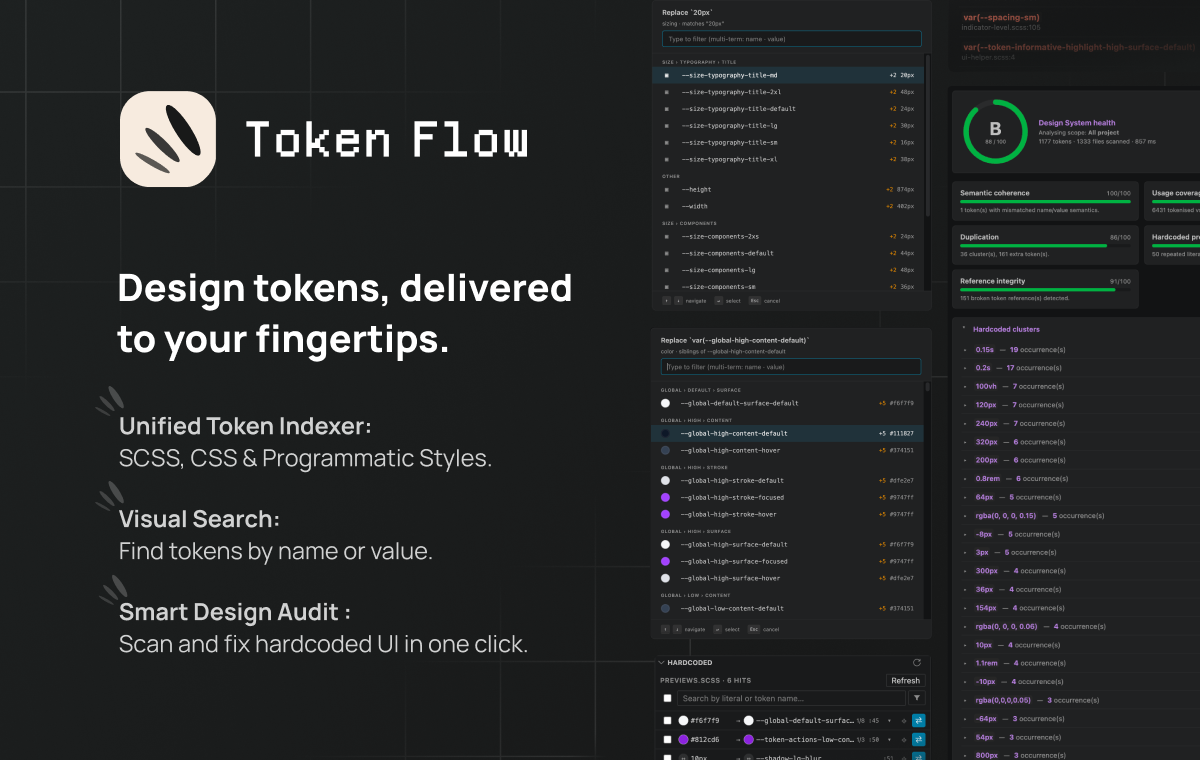
Find, insert, swap and audit design tokens (SCSS · CSS · TS/JS) from inside VSCode — without ever leaving your editor.



Make using your tokens intuitive. Token Flow helps you find the right variable and keep your styles flawless without ever leaving your VSCode editor.
Supported formats:
- SCSS variables (
$color-primary-500) - CSS Custom Properties (
--color-primary-500) - SCSS Maps (
("color-primary-500": #5d3fd3)) - TS/JS preset objects —
'{path.to.token}'
A dedicated Token Flow entry in the activity bar opens a rich
panel listing every indexed token, grouped by category. Inline color
swatches, two-line name + resolved-value previews, variant badges,
multi-term search ("informative content" finds
--token-informative-highlight-content-hover), category + kind filter
chips. Drag any row into the editor to insert the canonical
var(--x) / $x / '{path}' form at the drop position.
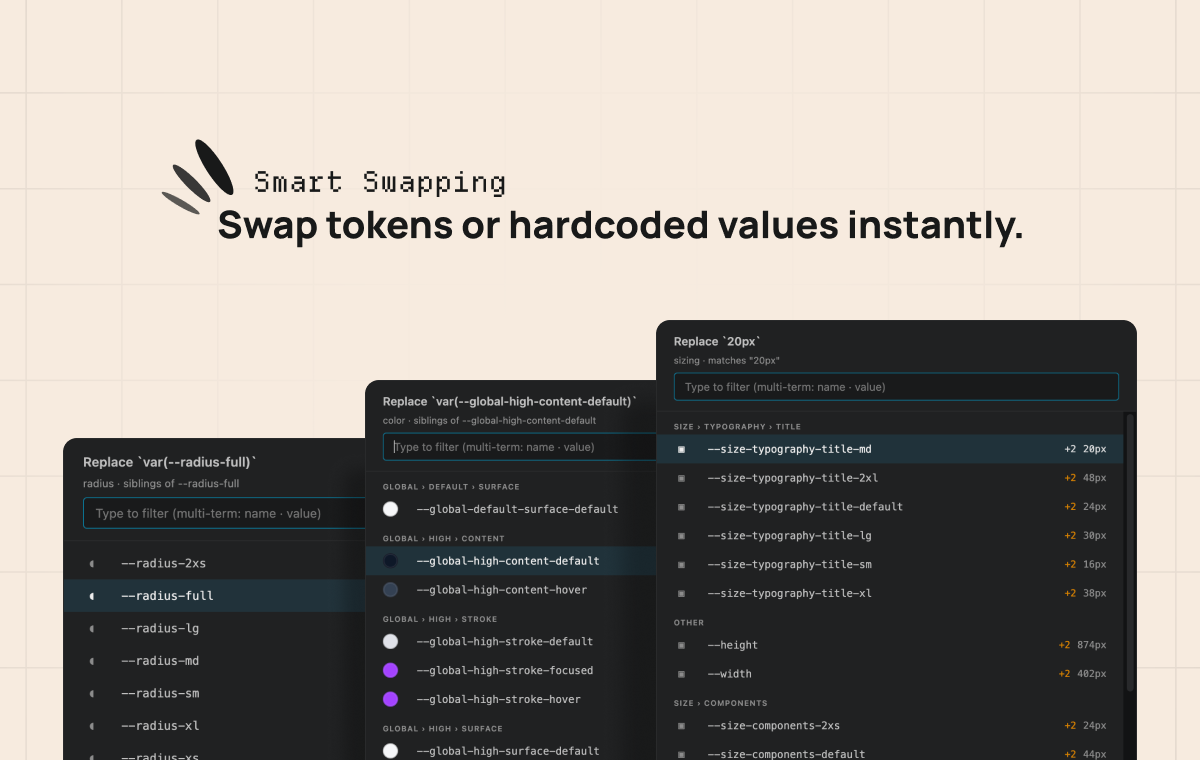
Pick a sibling token of the same category — swap a var(--…) for
another, or "tokenize" a hardcoded 14px literal in one keystroke.
A custom webview picker (not the native QuickPick) renders real CSS
color swatches, groups candidates by category, floats exact-value
matches to the top, and pre-selects the pivot on open. Keyboard or
mouse, your choice.
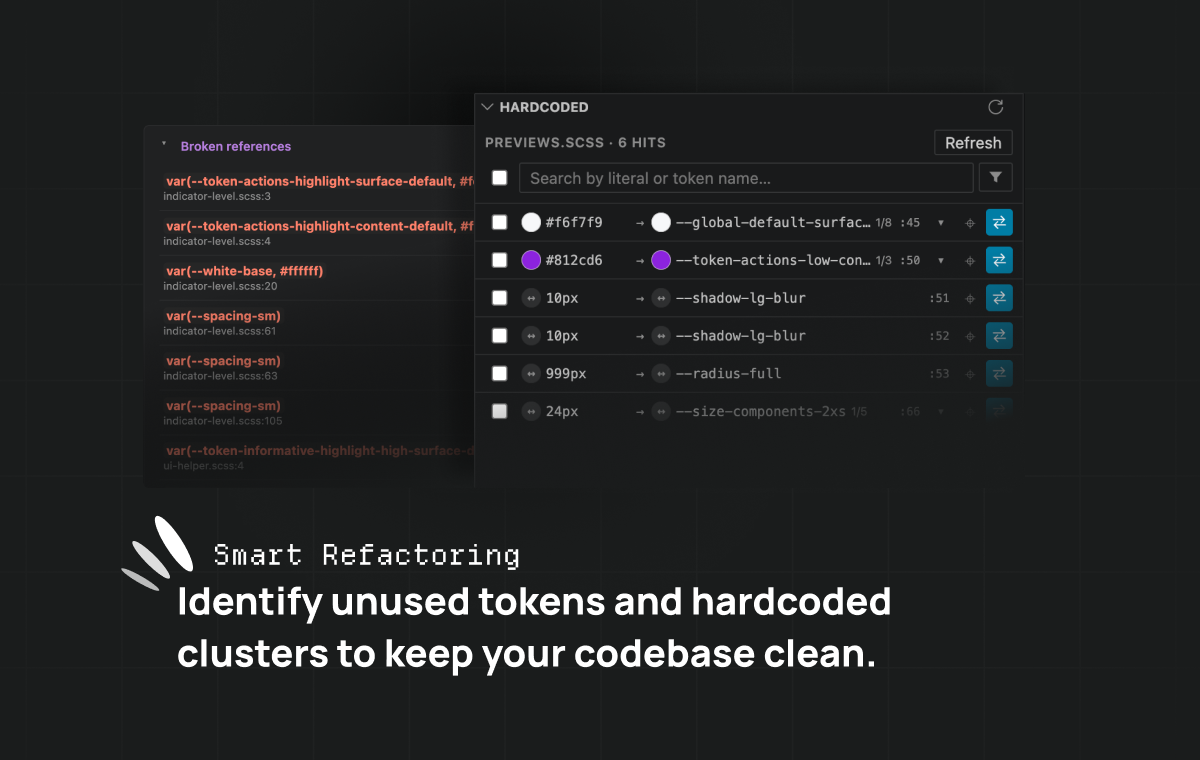
Literals that already exist as tokens (#fff, 14px, 200ms, …)
get a Hint-severity diagnostic with a lightbulb quick-fix that
replaces them with the canonical reference. A dedicated Hardcoded
panel follows the active editor and lists every match in the current
file, with inline swatches, alternative-candidate cycling, jump-to-source
and one-click replacement (workspace edit — undoable like any edit).
Aware of transparent wrappers like rem-calc(14px).
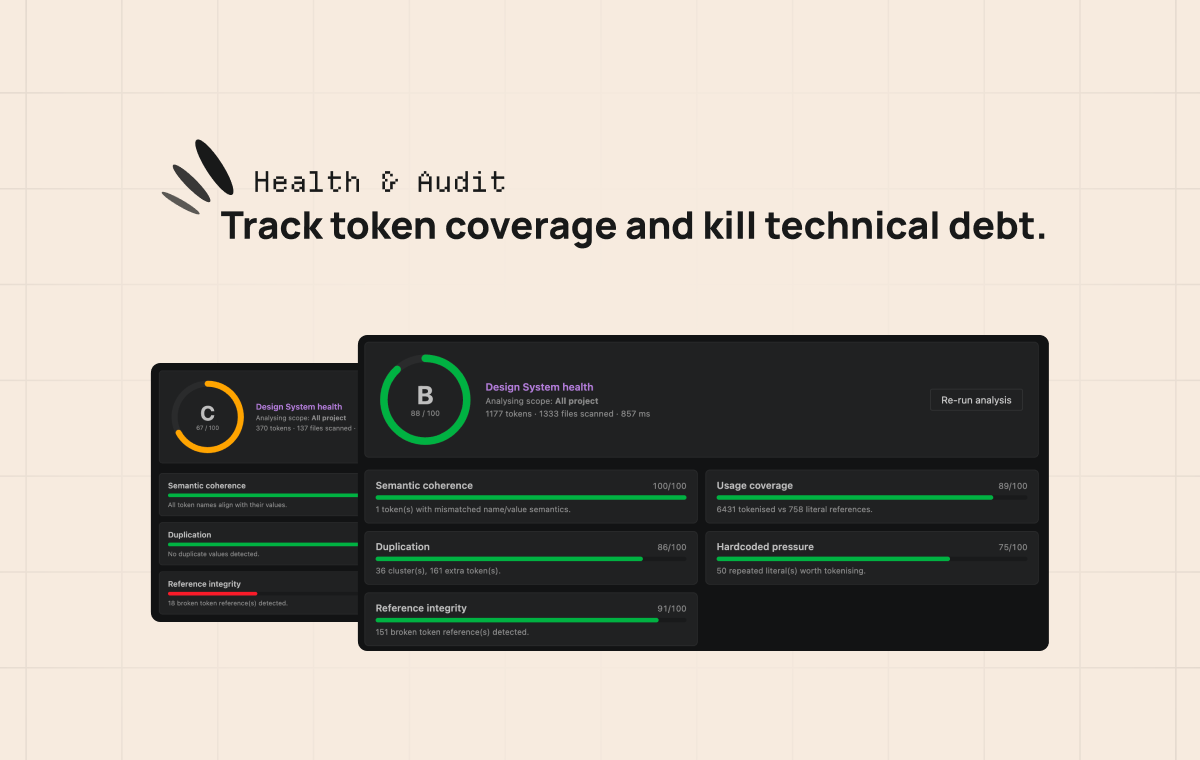
A full-tab Design System health report. Global score (A→F) on a circular gauge, five sub-axes (semantic coherence, usage coverage, duplication, hardcoded pressure, reference integrity), and accordion drilldowns for hardcoded clusters, broken refs, unused / duplicate / incoherent tokens, per-file coverage. Every row links straight to the source.
- Hover info — popup with resolved value & per-mode variants (light / dark / breakpoints) of the token under the caret. Multi-theme aware: nested SCSS maps render with theme-grouped column headers.
- Go to Token Declaration —
Ctrl+Click/F12/ Peek on anyvar(--x),--xor$xreference, via VSCode's native Definition flow. Works with stylesheets and TS/JS preset paths. - Copy Token Value —
Alt+V(or the editor right-click menu, or a click on the hover popup) on a token reference (var(--x),$x,'{a.b.c}',colors.X) opens a dropdown to copy its resolved value (the primitive at the end of the alias chain), its token name, or — for colours — the resolved colour as HEX / RGB / HSL / OKLCH. Rebind from VSCode's Keyboard Shortcuts (searchtokenFlow.copyTokenValue); toggle viatokenFlow.copyValue.enabled. - Code completion — triggered after
var(--or$, sorted alphabetically, filtered by VSCode's fuzzy matcher. - Named scopes — multi-UI projects (mobile / desktop / preset / common) supported via named scopes with their own root path, source paths, whitelists and excludes. A master-detail Settings webview ships with native folder/file pickers and saves directly to workspace settings — no JSON hand-editing needed.
- External variable prefixes — declare the prefixes your project
gets from elsewhere (
--p-PrimeNG,--ion-Ionic,--mat-/--mdc-Material,--bs-Bootstrap) or exposes on purpose as a component customisation API (--ui-slider-). References matching a prefix stay out of the broken-reference list without being mistaken for design tokens. Set project-wide viatokenFlow.externalPrefixes, or per scope for a component's own API — see Configuration.
Everything is editable from the Settings webview (Token Flow: Configure Scopes). The underlying settings, for reference:
| Setting | What it does |
|---|---|
tokenFlow.scopes |
Named scopes — rootPath, sourcePaths, whitelistPaths, excludedPaths, externalPrefixes. |
tokenFlow.sourcePaths |
Back-compat fallback used when scopes is empty. |
tokenFlow.externalPrefixes |
Project-wide external variable prefixes (see below). |
tokenFlow.hover.enabled |
Hover popup on token references. |
tokenFlow.copyValue.enabled |
Alt+V Copy Token Value and its surfaces. |
tokenFlow.alternatives.pickerStyle |
Alt+T picker — side panel or native popup. |
A reference whose name starts with one of these prefixes is treated as
valid but external: it counts as tokenised (it is a variable, not a
hardcoded value), it is never reported as a broken reference, and it
never marks one of your tokens as used. Write the prefix with its
leading dashes — the comparison runs on the extracted name, so --ui-,
not ui-.
The effective set for an analysis run is the project-wide list unioned with every active scope's own list.
Prefer the narrowest prefix you can. --ui- silences every
--ui-* reference, including a genuine typo on an existing --ui-…
token; --ui-slider- only covers that one component's API. Go
component-by-component while the count stays reasonable, and fall back to
the broad prefix knowingly.
The typical case: a component that deliberately exposes an undeclared variable as its extension point.
// ui-slider.scss — consumers override these via ::ng-deep
height: var(--ui-slider-handle-size, #{$handle-size});
width: var(--ui-slider-thickness, #{$track-thickness});Nothing declares --ui-slider-handle-size, and nothing should — it's an
API, not a bug. Adding --ui-slider- to the scope's externalPrefixes
tells Analyse exactly that.
- Migration — refactor a hardcoded codebase to design tokens, file by file.
- Multi-brand audit — keep a multi-brand or light/dark Design System aligned and free of dead tokens.
- Theme debugging — see how a token resolves in Dark vs Light mode via the hover popup.
- Preset iteration — work on a PrimeUIX / Style-Dictionary preset with instant feedback.
Built by Robin Lopez — designer & front-end engineer.
robinlopez.fr · LinkedIn · Bluesky · Bento
If Token Flow saves you time, you can support its development:

{
  // Project-wide — framework-injected variables.
  "tokenFlow.externalPrefixes": ["--p-", "--mat-"],

  "tokenFlow.scopes": [
    {
      "name": "ui",
      "rootPath": "libs/ui",
      "sourcePaths": ["libs/ui/src/styles/tokens"],
      // Scope-local — this library's own customisation API.
      "externalPrefixes": ["--ui-slider-", "--ui-toggle-"]
    }
  ]
}