






NetSonar is a network diagnostics tool for probing hosts and services with ICMP, TCP, UDP, HTTP, NTP, DNS, SMTP, WebSocket, MQTT, TLS, SSH, STUN, SIP, and IMAP, managing network interfaces, and discovering local devices/services. Features multiprotocol latency checks, subnet scanning, port/service detection, and real-time interface configuration. Designed for administrators and developers needing lightweight, cross-platform network analysis.
- Winget:
winget install -e --id PTRTECH.NetSonar - Winget is included on Windows 10 with recent updates and Windows 11 by default.
[ "$(command -v apt)" -a -z "$(command -v curl)" ] && sudo apt-get install -y curl
[ "$(command -v dnf)" -a -z "$(command -v curl)" ] && sudo dnf install -y curl
[ "$(command -v pacman)" -a -z "$(command -v curl)" ] && sudo pacman -S curl
[ "$(command -v zypper)" -a -z "$(command -v curl)" ] && sudo zypper install -y curl
bash -c "$(curl -fsSL https://raw.githubusercontent.com/sn4k3/NetSonar/main/scripts/install-netsonar.sh)"bash -c "$(curl -fsSL https://raw.githubusercontent.com/sn4k3/NetSonar/main/scripts/install-netsonar.sh)"# Replace x.x.x by the version you want to install
bash -c "$(curl -fsSL https://raw.githubusercontent.com/sn4k3/NetSonar/main/scripts/install-netsonar.sh)" -- x.x.x- Network Pings: Perform host, transport, and application-protocol probes to check the availability and latency of network devices and services.
- Interface Management: View and manage network interfaces, including IP configuration and statistics.
- Cross-Platform: Built with C# dotnet, runs on Windows, macOS, and Linux.
- Modern UI: Built with Avalonia and SukiUI, featuring Fluent themes.
- Charts and Visualizations: Uses LiveCharts for real-time data visualization.
- Customizable: Supports themes and UI customization.
- Open Source: Contributions are welcome!
Choose the highest-level protocol that represents the service you need to monitor. An ICMP reply only confirms that a host answers echo requests, while a protocol-aware probe also confirms that the expected application is responding correctly.
After selecting a protocol in the Add Ping Services dialog, enter its target in the format shown below.
| Protocol | Target and default | What NetSonar checks | Choose it when |
|---|---|---|---|
| ICMP | router.local or 192.168.1.1; no port |
Sends an ICMP echo request and measures its reply. Payload size, TTL, and the Don't Fragment option are configurable where the operating system supports them. | You need basic host reachability or path latency. A failed probe does not necessarily mean the host is offline because firewalls commonly block ICMP. |
| TCP | host:port; port required |
Opens a TCP connection and reports success when the connection is established. An optional payload can be sent, but no application response is validated. | You only need to know whether a TCP port accepts connections, or NetSonar has no protocol-specific probe for the service. |
| UDP | host:port; port required |
Sends the configured payload and waits for a reply from the remote endpoint. Sending alone is not considered success. | The service uses a request/reply UDP protocol. Do not use it for services that normally send no response to an arbitrary payload. |
| HTTP | http://host/path or https://host/path; HTTP is assumed if the scheme is omitted |
Sends a GET request and completes after receiving the response headers without downloading the body. HTTP success status codes are treated as successful probes. | You need to validate a website, API route, reverse proxy, or TLS-enabled HTTPS endpoint. |
| NTP | host or host:port; default 123/UDP |
Sends an NTP client request and validates the response mode, version, synchronization state, stratum, timestamps, and request correlation. | You need to confirm that a time server is synchronized and returning valid NTP responses. |
| DNS | host or host:port; default 53/UDP |
Queries the server for the A record of example.com and validates the transaction ID, response flags and code, echoed question, and answer count. |
You need to confirm that a DNS resolver can answer a real DNS query, rather than only checking whether its host is reachable. |
| SMTP | host or host:port; default 25/TCP |
Connects and validates a complete single-line or multiline SMTP 220 greeting. It does not start TLS or authenticate. |
You need to confirm that a plain SMTP listener is ready. Custom ports such as 587 work when the server sends its greeting before STARTTLS. |
| WebSocket | ws://host/path or wss://host/path; defaults 80 and 443 |
Performs the WebSocket HTTP upgrade and requires the connection to reach the Open state. Paths, custom ports, and TLS through wss:// are supported. |
You need to validate a WebSocket endpoint rather than only its underlying HTTP or TCP listener. |
| MQTT | host or host:port; default 1883/TCP |
Sends an MQTT 3.1.1 CONNECT packet with a randomized client ID and clean session, then requires an accepted CONNACK response. It does not use TLS or credentials. | You need to validate an anonymous, plain-TCP MQTT broker. Brokers that require authentication correctly reject this probe. |
| TLS | host or host:port; default 443/TCP |
Performs an SNI-aware TLS handshake using the operating system's certificate trust and hostname validation, then reports the negotiated TLS version. | You need to validate TLS independently of an application protocol, including certificate trust, hostname, and validity failures. |
| SSH | host or host:port; default 22/TCP |
Sends a NetSonar SSH 2.0 identification, tolerates permitted server pre-banner lines, and requires a valid SSH-2.0- server identification. It does not authenticate or start key exchange. |
You need to confirm that an SSH 2.0 service is responding instead of only checking whether port 22 is open. |
| STUN | host or host:port; default 3478/UDP |
Sends a Binding request and validates the response type, declared length, magic cookie, transaction ID, attribute framing, and mapped address. | You need to validate a STUN server or diagnose UDP and NAT traversal availability. |
| SIP | host or host:port; default 5060/UDP |
Sends an unauthenticated OPTIONS request, correlates Via branch, Call-ID, and CSeq fields, ignores provisional responses, and requires a successful final response. | You need to monitor a SIP server, PBX, proxy, or VoIP endpoint that accepts OPTIONS over UDP. |
| IMAP | host or host:port; defaults 143/TCP, with implicit TLS on 993/TCP |
Requires an OK or PREAUTH greeting, sends a tagged CAPABILITY command, and validates both the capability data and successful tagged completion. Port 993 negotiates TLS with certificate and hostname validation before the IMAP exchange. It does not issue STARTTLS or authenticate. |
You need to validate a cleartext or implicit-TLS IMAP listener without accessing a mailbox. |
For text-list imports, use icmp://, tcp://, udp://, ntp://, dns://, smtp://, mqtt://, tls://, ssh://, stun://, sip://, and imap:// to identify non-HTTP protocols. WebSocket and HTTP entries retain their normal ws://, wss://, http://, or https:// URLs. Examples:
icmp://router.local
tcp://database.local:5432
dns://1.1.1.1
smtp://mail.example.com:25
wss://example.com/events
mqtt://broker.local:1883
tls://service.example.com:443
ssh://server.local
stun://stun.example.com
sip://pbx.local
imap://mail.example.com
The Add Ping Services menu can populate maintained public endpoint catalogues. DNS and NTP have dedicated imports because their provider metadata is protocol-specific. Import public protocol hosts adds credential-free SMTP, WebSocket, MQTT, TLS, SSH, STUN, SIP, and IMAP endpoints. These are intended as connectivity examples and external-service checks; availability and access policies remain controlled by each provider.

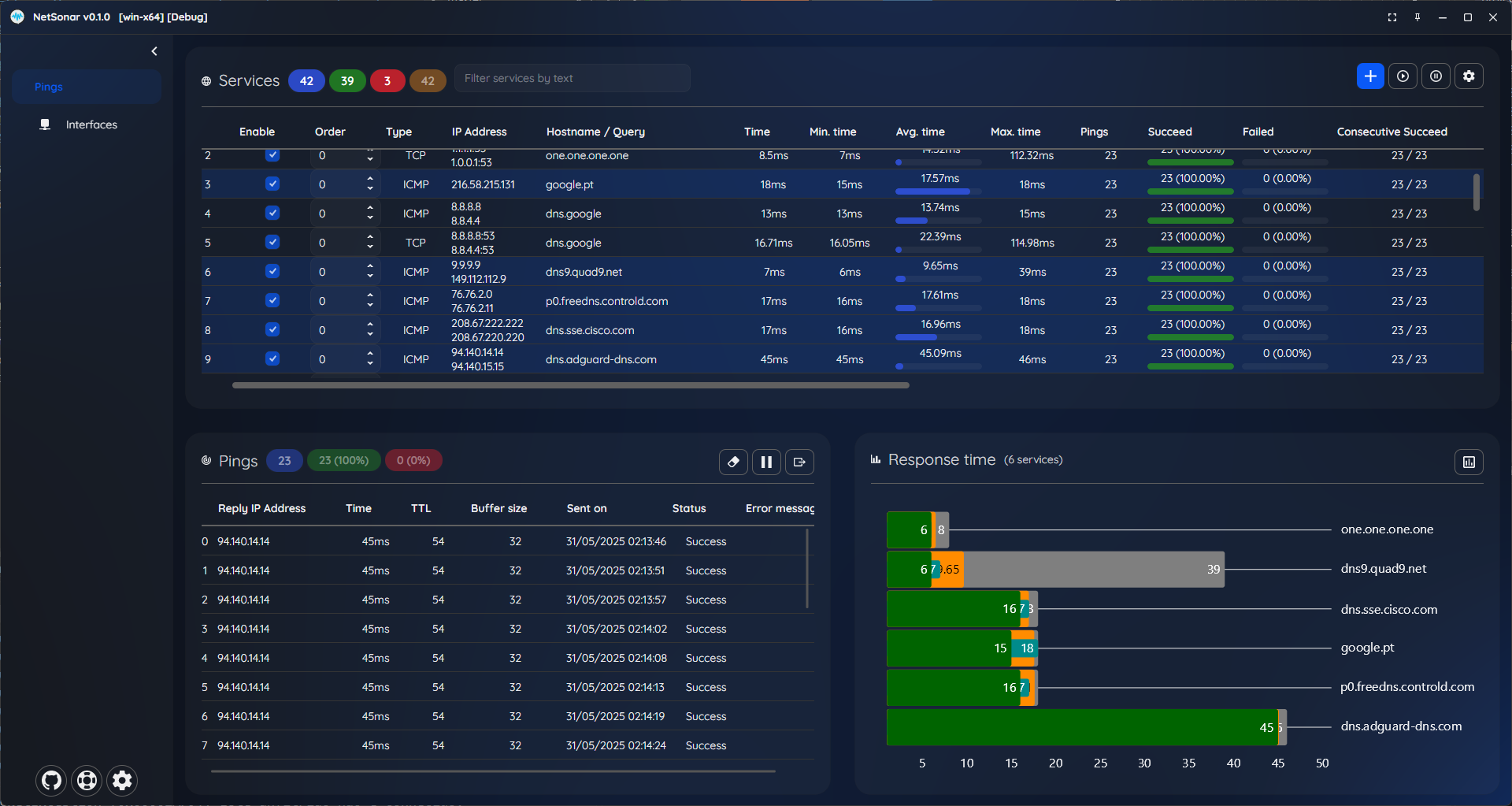
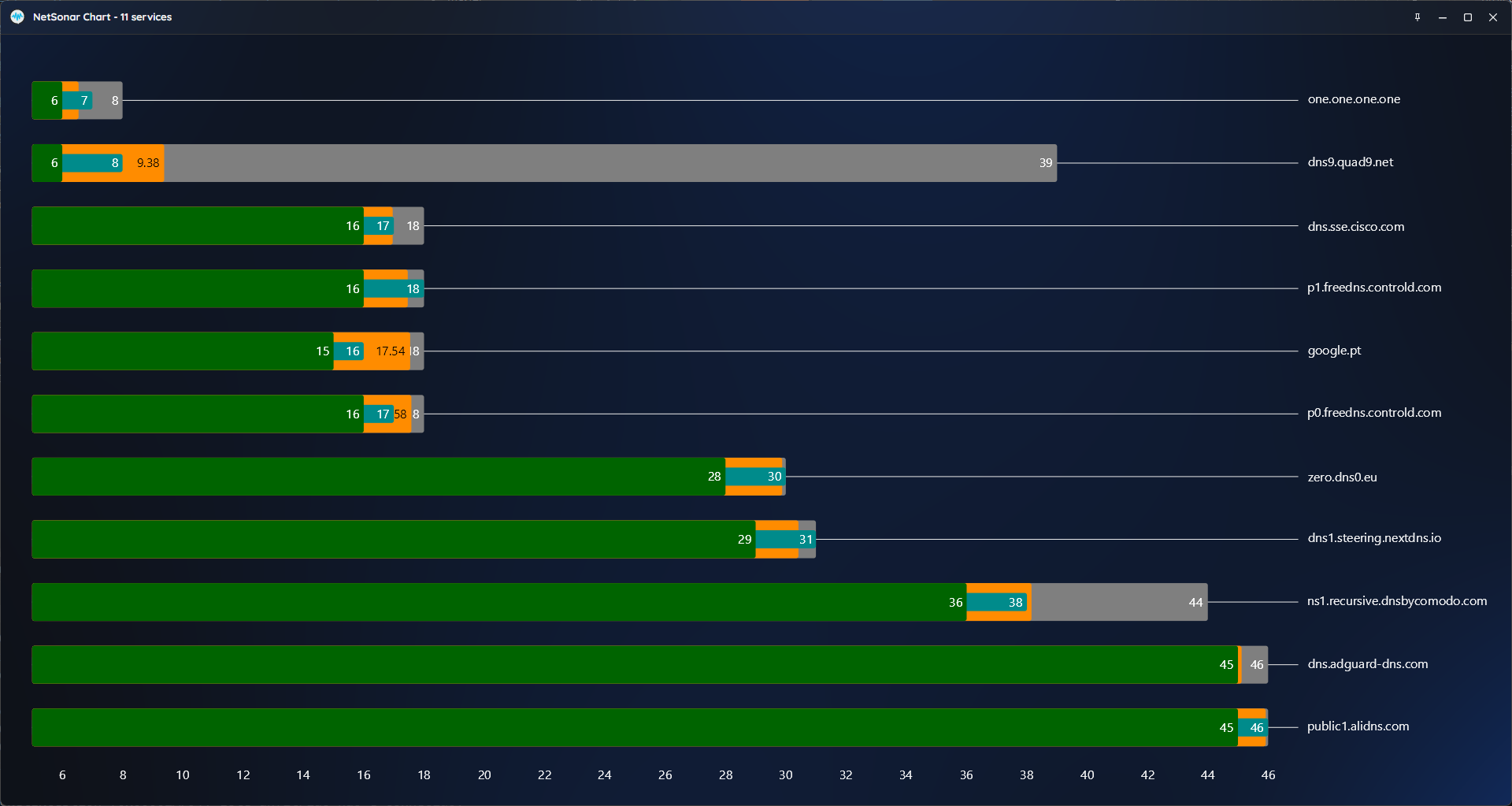
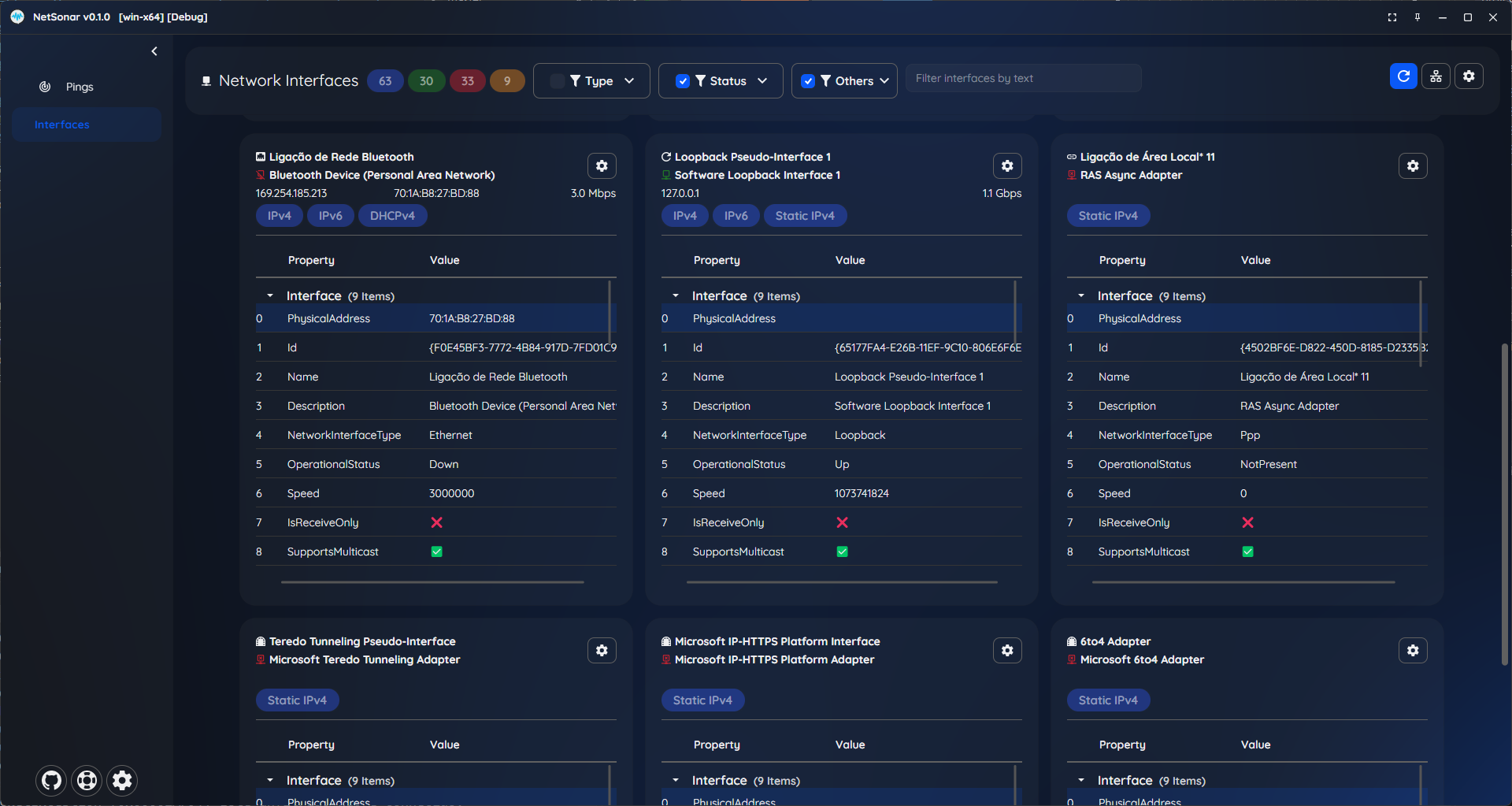
- Windows 10 or greater
- macOS 13 Monterey or greater
- Linux (Debian, Ubuntu, Fedora, Arch, etc.)
- 64-bit System (x64 / arm64)
- 4GB RAM or higher
- 1920 x 1080 @ 100% scale as minimum resolution
NetSonar can be run with the following arguments:
--portable [level]: Run in portable mode, configurations are saved near the executable. Use level to specify the directory level, e.g.0for the current directory,1for the parent directory, etc.NetSonar.exe --portablewill save the configuration in the same directory as the executable.
--profile-path <path>: Specify the path to the profile file.NetSonar.exe --profile-path D:\NetSonarConfigswill use the profile file at the specified path.NetSonar.exe --profile-path NetSonarConfigswill use the profile path relative to the executable path.
Note: Both --portable and --profile-path can be used together, but --profile-path will take precedence if both are specified.
All my work here is given for free (OpenSource), it took some hours to build, test, and polish the program.
If you're happy to contribute to a better program and for my work, I will appreciate the tip.
Use one of the following methods:


